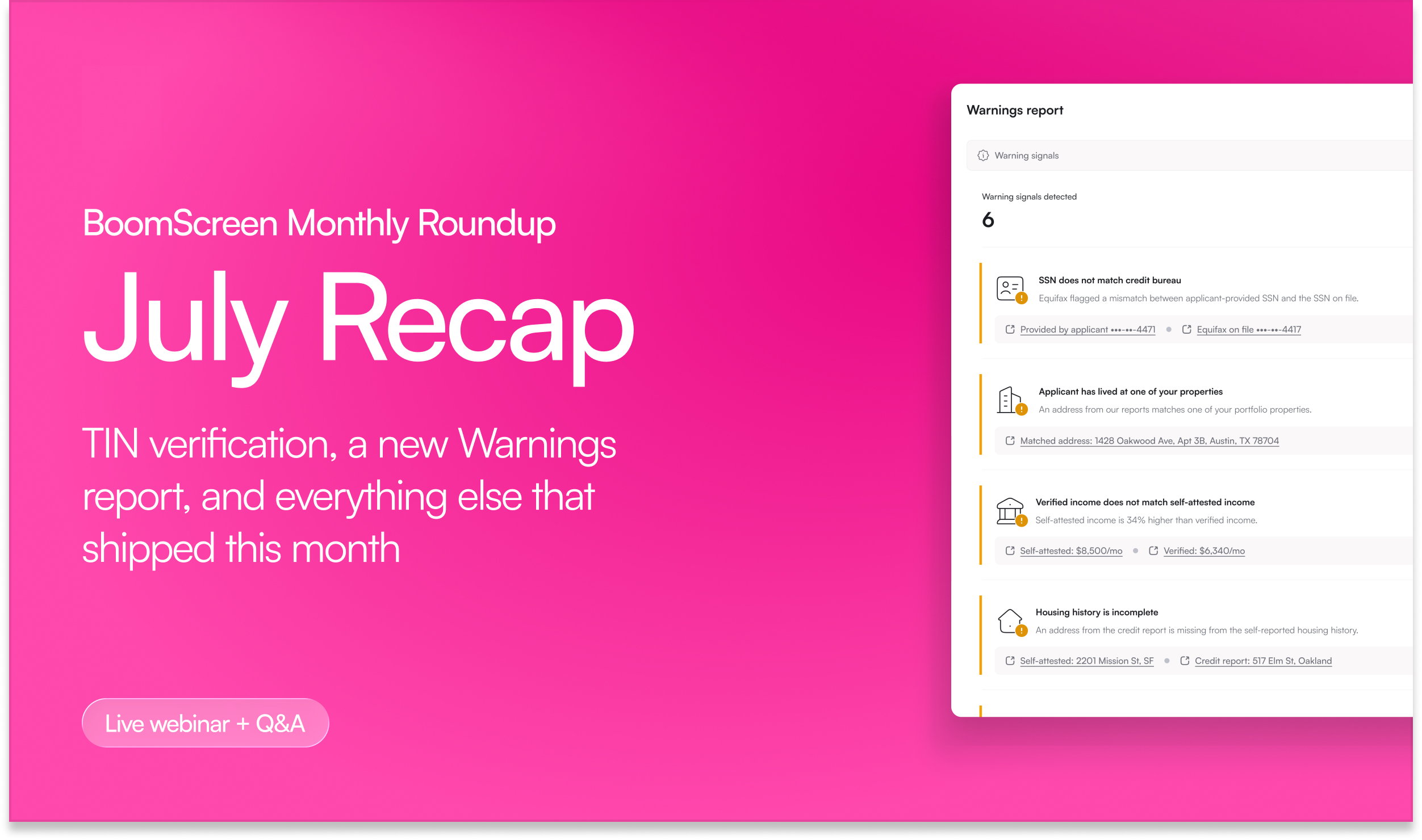
Our second BoomScreen Monthly Roundup covered everything new in BoomScreen this month, hosted by Aviv Florenthal (Senior Product Manager) and Dani Lowder (Principal Customer Success Manager). As always, most of what we shared came straight from your feedback, and from the feedback your applicants are giving us.
Couldn’t make it? Here’s the quick version!
Announcement: Persona becomes the default for identity verification
Throughout August we’re switching partner templates over to Persona as the default identity verification provider. Persona’s optimized flow is showing a 90%+ completion rate, applicants can complete the selfie and document check on a webcam instead of only a phone, and we have more flexibility to keep applicants moving through the application.
The change should be barely noticeable on your end, and there’s no additional cost. You can switch back to Plaid at any time.
Persona also unlocks TIN verification, which checks an applicant’s SSN or ITIN directly against the IRS database. It runs a name match, deceased detection, and format validation, and it’s especially valuable for applicants with a thin public record: newer immigrants, ITIN holders, and applicants who recently turned 18. TIN verification is an add-on at an additional charge.
To switch vendors: Screening settings → [template] → Identity verification → select Plaid or Persona.
To turn on TIN verification: Screening settings → [template] → Identity verification → select Persona → toggle on TIN verification. (Requires admin access.)
Spotlight features
Applicant experience optimizations
Applicant experience has been our theme for two months running, and it will be again in September. The goal is simple: get complete, accurate applications into your hands with less chasing. Four upgrades this month:
- Text message nudges. Applicants get a text the moment they start an application, sent automatically with no setup. Email is a far less reliable way to reach an applicant mid-flow, so we’re moving more nudges to SMS.
- Review and edit before checkout. Applicants can now open a side panel from any page, see everything they’ve entered, and fix a single field with the pencil icon instead of clicking back through the whole flow.
- Invited applicants can always check out. Co-applicants and guarantors you invite can complete their application regardless of the unit’s listing status, so adding a guarantor late in the process never leaves them stranded.
- Request additional documents. After an applicant submits, ask them for a specific document right from their application. They get an email naming what you need with a direct link back in.
The document request has been the runaway favorite. One partner told us she’s getting documentation back when she needs it, so much faster than when she was previously just emailing applicants, and that it reads as more secure to the applicant than a message from an unfamiliar email signature.
To request documents: Applications → click into an application → select an applicant → ... → Request documents → add a note → Send request.
Real-time income document verification
The biggest pain point we hear on income is applicants uploading documents that don’t work: two months of pay stubs when you asked for three, a 1099 labeled as a pay stub, a bank statement from last year, a document with no name on it. Now, pay stubs, W2s, and bank statements are validated in real time, while the applicant is still in the flow. We check three things:
- The document is the type we asked for
- It covers the time frame set in your template
- It contains the information your team needs to make a decision, including the pay period dates and the applicant’s name
When something doesn’t pass, the applicant sees exactly why and gets a chance to fix it before submitting. There’s nothing to turn on, and no change to how you work. You’ll simply start receiving the documents you asked for.
Real-time checks do add a step for the applicant, so we also gave you a way to step in. A new Complete verification button lets you see what’s been uploaded and accept it on the spot if it’s good enough for your team, which unblocks the applicant without any back and forth.
One thing worth calling out: applicants never see fraud-related reasons. If a document shows signs of digital manipulation or came from a pay stub generator site, that surfaces to your team only. We don’t want to coach applicants on how to get past the check, and the call on how to handle it stays yours.
To override, open the income report → select the income source → Complete verification.
Customizable group metrics
The metrics at the top of an application were one-size-fits-all. Some teams live by debt-to-income, some never look at it. Some watch for applicants with no credit score, some don’t care. So we’re making the whole panel configurable, per user:
- Add, remove, rename, and rearrange metrics to match how you actually review
- Build metrics scoped to applicants, guarantors, or occupants specifically
- Open any metric to see exactly how we calculated it, including which applicant it pulled from and why
- Jump straight from a metric into the underlying report
- Edit the underlying data, like which debts count toward DTI, if you have permission
- Reset to the default view at any time
Available metrics at launch include verified income (gross and net), gross income to rent, debt to gross income, debt to net income, self-reported income, and average, highest, and lowest credit score. Nothing changes when this turns on. You’ll start on the same view you have today, just with the ability to change it.
Also shipped this month
- Warnings report is now on for every account. It was opt-in, the feedback was overwhelmingly positive, so it’s on everywhere at no cost. One partner found out through it that an applicant had lived at their property before, and they were mid-eviction with that person. More flags are on the way. To view, open any application → Warnings report.
- Bank integration is now the recommended income method. It sits at the top of the applicant’s options with clearer messaging that the connection is read-only and secure, and we’ve already seen a meaningful jump in usage. One connection can verify multiple income sources, and if an applicant comes back to add another source, their linked account is right there. Other methods stay available under Use different method. This only appears if your template accepts bank linking.
- 90% faster page loads across the applicant experience. Not flashy, but load time is one of the biggest reasons applicants drop out mid-flow, and this holds up regardless of how large the application group is.
- Recommendations surface as soon as they’re ready. A decline recommendation now appears the moment the criteria is met, instead of waiting on unrelated reports like county criminal searches to finish. Approvals and conditional approvals still wait for the complete picture.
- Control who can issue refunds. A new Refund application permission lets admins decide who can send a refund request. To configure, navigate to Settings → Users → select a user → BoomScreen → Application.
- Only the inviter can cancel or resend an invitation. Including the primary applicant, who can no longer touch anyone else’s invite. Nudge reminders follow the same rule.
Questions on any of this? Reach out to your Customer Success Manager. We’re happy to help you get set up.
See you at the next BoomScreen Monthly Roundup on September 2! Register here!