This month we kicked off our very first BoomScreen Monthly Roundup, a live walkthrough of everything new in BoomScreen and how to get the most out of it, hosted by Aviv Florenthal (Product Manager) and Dani Lowder (Principal Customer Success Manager). Nearly everything we shared came straight from your feedback.
Couldn’t make it? Here’s the quick version!
Spotlight features
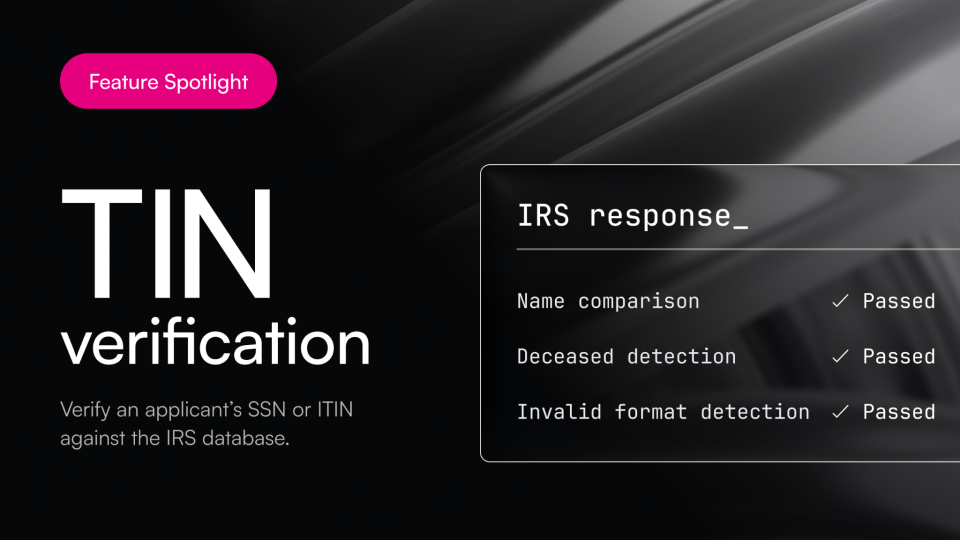
TIN verification with Persona
A new layer of fraud protection that verifies an applicant’s SSN or ITIN through a direct integration with the IRS database, the most reliable source there is. It runs three checks: a name match, deceased detection, and format validation. It’s especially valuable for applicants who are often missing from public databases, like recent 18-year-olds, newer immigrants, and ITIN holders. Early on, we’re seeing a ~6% TIN failure rate, right in line with typical fraud attempts across the industry.
TIN verification runs on Persona, our new identity verification provider. Persona’s optimized flow is showing a 90%+ completion rate (identity verification was previously a major drop-off point), and applicants can complete the selfie and document check on a webcam, not just a phone.
There’s no additional cost to switch from Plaid, and your identity verification pricing stays the same. TIN verification is an add-on at an additional charge.
To turn it on: Screening settings → [template] → Identity verification → select Persona → toggle on TIN verification. (Requires admin access.)
Warnings Report
A new report that automatically cross-checks data across all of an applicant’s reports and surfaces inconsistencies in one place, so your team doesn’t have to click through every report to catch them. Six flags today, with more coming:
- SSN doesn’t match the credit bureau
- Applicant has previously lived at one of your properties
- Verified income doesn’t match self-attested income
- Housing history appears incomplete
- Credit file was established recently (within 2 years), shown alongside the applicant’s age
- An income document is showing a potential fraud signal
Available to all customers at no additional cost, so there’s really no reason not to turn it on.
To turn it on: Screening settings → [template] → toggle on Warnings report. (Requires admin access.)
Redesigned Notes experience
Notes got a big upgrade. See the last note right on the applications table, and add one from there, without clicking into the application. Plus tag teammates to loop them in (they’re notified by email and in-platform), upload files (find them all in the Files tab), and format notes with bullets, links, and styling. A quiet favorite for teams coordinating between underwriters, field teams, and regionals.
See it: Applications → [customize columns] → toggle on Last note. Note: columns are set per section, so add it to each stage where you want it.
Also shipped this month
Smaller upgrades that still make a real difference:
- Income re-verification requests: send applicants back to redo income verification, and choose exactly which method they can use (bank, payroll, or a specific document).
- Real-time income verification visibility: watch uploads, rejections, and why as they happen, help applicants troubleshoot, and override a document at the source level to move someone forward.
- Clearer first income question: now names employment, self-employment, retirement benefits, and offer letters directly, so fewer applicants on fixed income mistakenly report “no income.”
- More flexible applicant landing pages: show the unit or site address (or your own naming) on the applicant’s first screen and portfolio page, helpful for larger, multi-building communities.
- Move-in date lead time: require a minimum buffer so applicants can’t pick a date too soon, guaranteeing your team review time.
- More accurate group DTI: auto-deduplicates shared debts (like a joint car loan), and lets you include or exclude specific debts, recalculating automatically.
What we’re working on
- A smoother applicant experience: smarter account creation to prevent duplicates, easier co-applicant and guarantor invites (copy-a-link, resend, cancel, status tracking), automated nudges including SMS reminders, checkout even when a unit is unlisted, and moving applications to unlisted units.
- Faster, more accurate income verification: real-time document checks expanding to pay stubs and W2s, smarter bank-integration results that filter out noise like transfers, and new income warnings (name mismatches, duplicated income across co-applicants).
From the live Q&A
- Will you host webinars for other products? Yes. More BoomScreen roundups on a regular cadence, plus sessions for new products launching soon.
- If income looks modified, do you notify the applicant? No. We surface it to your team to assess, since fraud calls are sensitive. Many teams respond by asking the applicant to re-verify via bank account.
- Where can I keep up with new releases? Our Product Announcements page lists everything we ship, and it’s a lot.
Questions on any of this? Reach out to your Customer Success Manager. We’re happy to help you get set up.
See you at the next Roundup on August 5th!